Submit and Approve Layouts
When To Use This Page
Use this page when a layout is ready to move from drafting into formal review and approval. This page is useful for the Projects User, Projects Manager, and Purchase Manager because each role takes a different action in the approval path.
Before You Begin
Before starting, make sure the layout has already been prepared and saved in Draft. The people involved in approval should understand that each step uses a specific workflow action and that the layout moves forward only when the current stage is complete.
The approval path is:
Draft -> Submitted for Check -> PM Approved -> Approved by Purchase
Steps
- The
Projects UserusesSubmit for Check.
This is the first approval handoff. When the Projects User is satisfied that the draft is complete, using Submit for Check moves the layout from Draft to Submitted for Check.
- The
Projects Managerreviews the layout and usesProject Manager Approves.
At this stage, the Projects Manager checks that the layout is acceptable from the project side. When the review is complete, using Project Manager Approves changes the status from Submitted for Check to PM Approved.
- The
Purchase Managerreviews the layout and usesPurchase Approves.
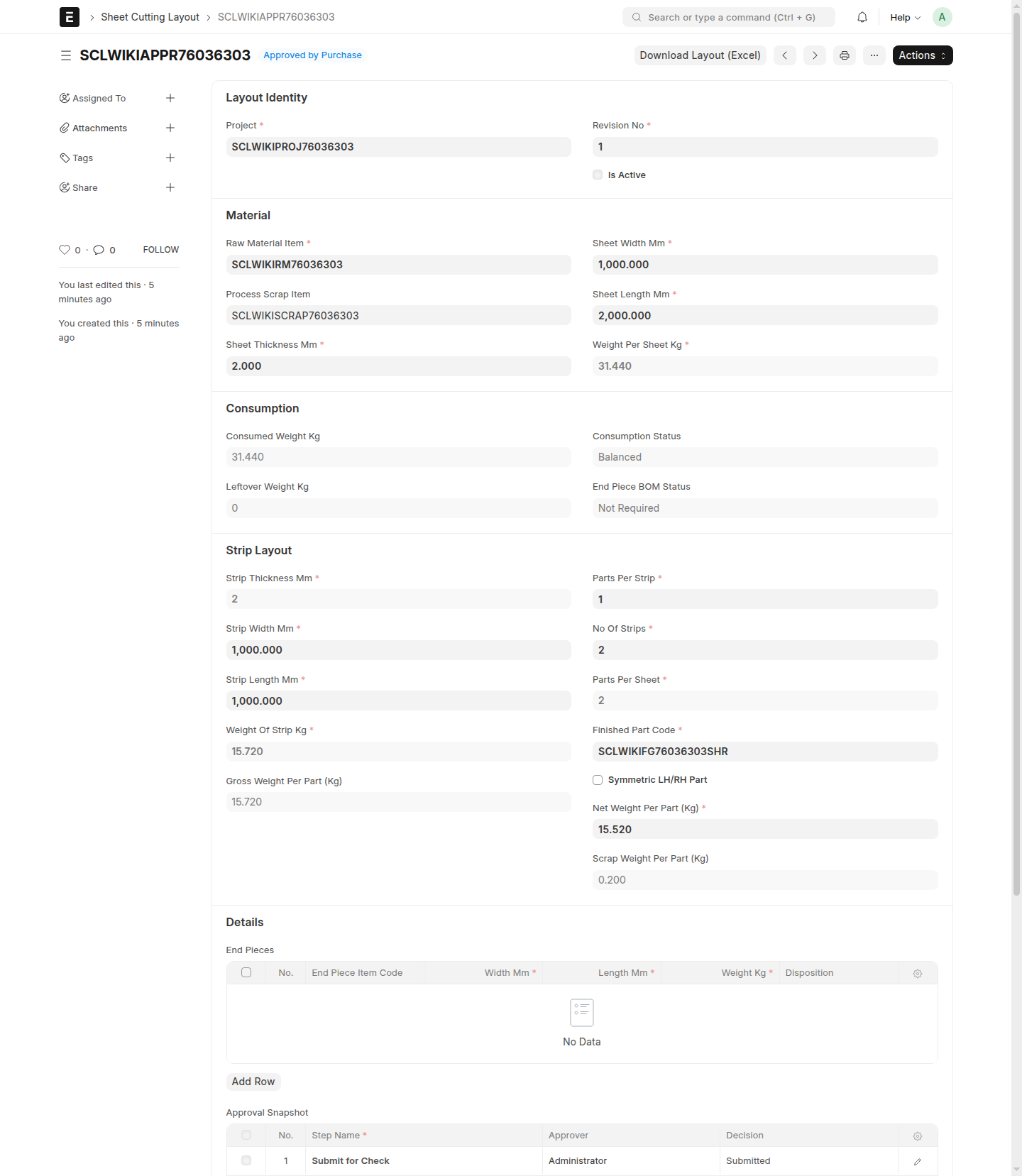
After project approval, the layout moves to purchase-side review. When the Purchase Manager is satisfied, using Purchase Approves changes the status from PM Approved to Approved by Purchase.
- If a layout needs to be sent back, use
Rejectso it returns toDraft.
In the current workflow, the reviewer at that stage can use Reject directly. A Projects Manager can reject from Submitted for Check, a Purchase Manager can reject from PM Approved, and the MR Coordinator can reject from Approved by Purchase.
- Continue the work after a rejection.
When a layout returns to Draft, the Projects User should update the layout based on the review feedback, save the corrected draft, and send it through the same approval path again using Submit for Check.
What Happens Next
After the layout reaches Approved by Purchase, it is ready for release by the MR Coordinator. The approval stages are complete, but the layout is not yet the active approved version until MR Release is performed.
Common Mistakes
- Using
Submit for Checkbefore the draft has been reviewed properly by theProjects User. - Treating
PM Approvedas the final step. ThePurchase Managermust still usePurchase Approves. - Forgetting that rejected layouts return to
Draft, not to an approval stage. - Resubmitting a rejected layout without first correcting the issues that caused the rejection.
Screenshots
The screenshots on this page help users recognize where a layout sits in the approval flow and which status to expect after each action by the Projects User, Projects Manager, and Purchase Manager.
- A layout in
DraftbeforeSubmit for Check - A layout in
Submitted for Check - A layout in
PM Approved - A layout in
Approved by Purchase - A rejected layout returned to
Draft