Release and Generated BOMs
When To Use This Page
Use this page when a layout has already finished the approval stages and is ready to be released for active use. This page is especially relevant for the MR Coordinator, and it also helps other users understand what changes once a layout is released.
Before You Begin
Before release, confirm that the layout has already reached Approved by Purchase. Release should happen only after the required approvals are complete and the team is ready to treat that layout as the active approved version.
Steps
- Confirm that the layout is in
Approved by Purchase.
This is the point where the approval flow is complete and the layout is ready for the final release step. If the layout has not reached Approved by Purchase, it should not be released yet.
- The
MR CoordinatorperformsMR Release.
MR Release is the action that formally releases the layout for use. This step is performed by the MR Coordinator.
- Check that the layout becomes
Released.
After MR Release, the layout status changes to Released. This shows the layout is now the active approved version that users should rely on going forward.
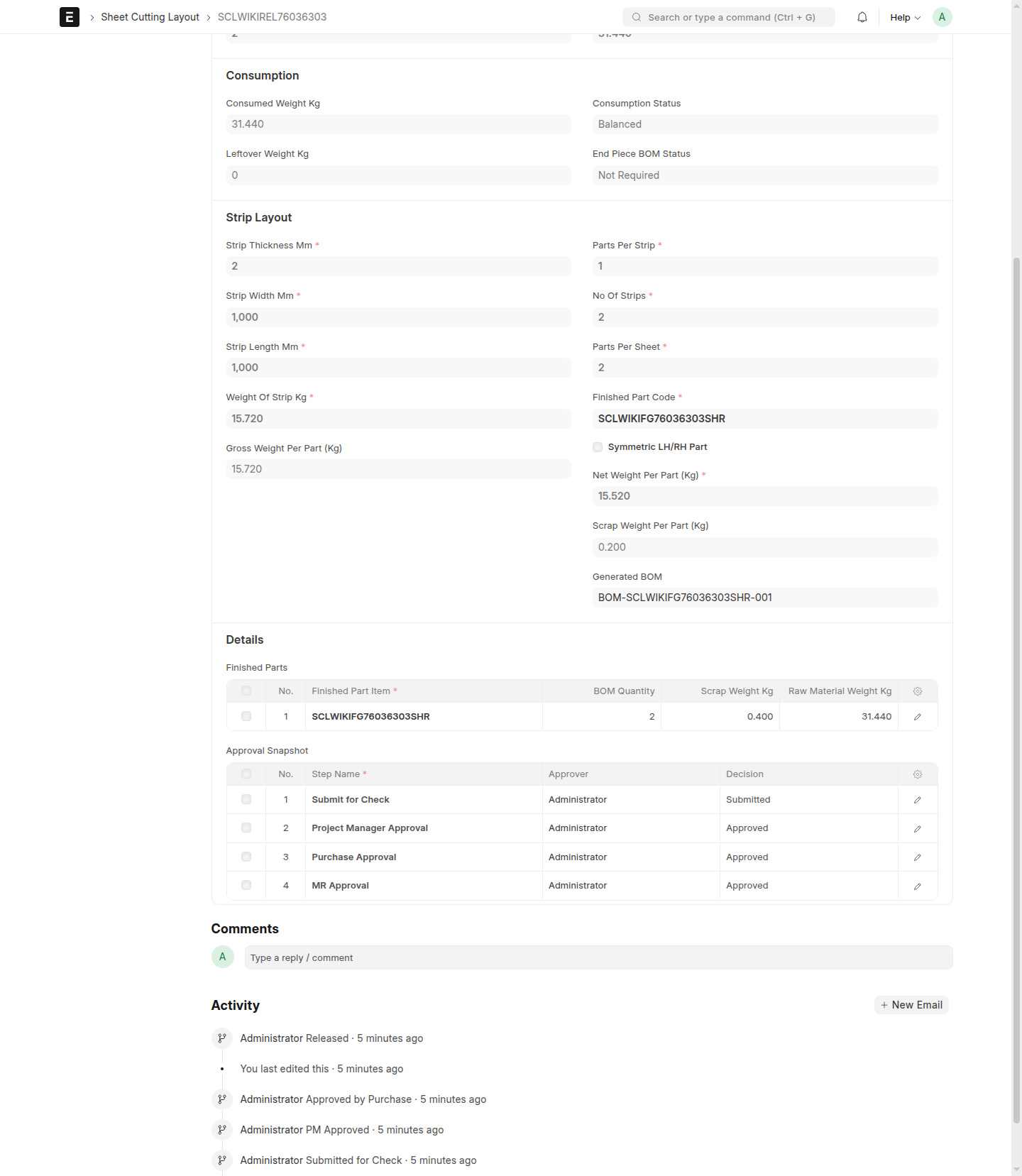
- Review the generated BOM references shown on the released layout.
After release, users should expect the released layout to show generated BOM references for the BOMs linked to that released version. In practice, checking these references helps you confirm that the expected BOM records are now tied to the correct released layout, which makes it easier to open the right BOMs, avoid confusion with older versions, and confirm the release is ready for downstream use.
What Happens Next
Once a layout is Released, it becomes the active approved version for normal use. Teams should work from that released version until a business change requires a replacement. If a replacement is needed later, users should use New Version rather than editing the released layout directly.
Common Mistakes
- Trying to perform
MR Releasebefore the layout reachesApproved by Purchase. - Assuming approval alone makes the layout active. The layout becomes active only after it is
Released. - Overlooking the generated BOM references after release, which can cause confusion about which released layout should be used.
- Editing expectations after release instead of treating the released layout as the approved version in use.
Screenshots
The screenshots on this page help users confirm the release stage visually, including when a layout is ready for MR Release, when it becomes Released, and where to look for generated BOM references afterward.
- A layout in
Approved by Purchase - The
MR Releaseaction - A layout in
Released - A released layout showing generated BOM references