Revisions and Supersede
When To Use This Page
Use this page when a released layout needs to be replaced by a newer version. It is for users who need to understand when to use New Version, why released layouts should stay controlled, and how an older released layout is retired.
Before You Begin
Before making changes after release, confirm whether the current layout is already Released. If it is, treat that layout as the approved version currently in use. Plan the replacement so the new version can move through review and release before the older one is retired.
The key user-facing states in this process are Draft, Released, and Superseded.
Steps
- Use
New Versionwhen the released layout needs a real change.
New Version is appropriate when the released layout no longer matches the work that should be used going forward. After using New Version, expect the replacement to be created as a new Draft that carries forward the previous layout details so you can update what changed instead of starting from scratch. You can then continue that draft through the normal approval and release flow. This keeps the replacement clear and allows the new layout to be reviewed and approved properly.
- Do not edit a
Releasedlayout directly.
Users should avoid changing a released layout in place because Released means it is the active approved version. Editing it directly can make it harder for other users to understand what was actually approved and what should be used now.
- Move the replacement layout through the normal workflow.
Review the carried-forward details in the new Draft, update the parts that changed, and make sure the replacement is ready before sending it forward. Then move it through the normal approval path and release it when it is ready. This keeps the version history easy to follow and helps every role work from the correct layout.
- The
MR CoordinatorusesSupersedeto retire the older released layout when the replacement is ready.
Supersede is the action used to retire an older released layout once a replacement is ready for use. After Supersede is applied, the older layout changes from Released to Superseded. In practice, this is the step that makes it clear which released layout should no longer be used.
What Happens Next
After the older layout is marked Superseded, users should stop treating it as the active approved version and move forward with the newer released layout instead. The older layout remains part of the record, but day-to-day work should follow the replacement that is now current.
Common Mistakes
- Editing a
Releasedlayout directly instead of usingNew Versionto start a replacement inDraft. - Using
Supersedebefore the replacement layout is actually ready for use. - Forgetting that
Supersededmeans the older released layout has been retired. - Creating version changes informally, which makes it harder for other users to know which layout is current.
Screenshots
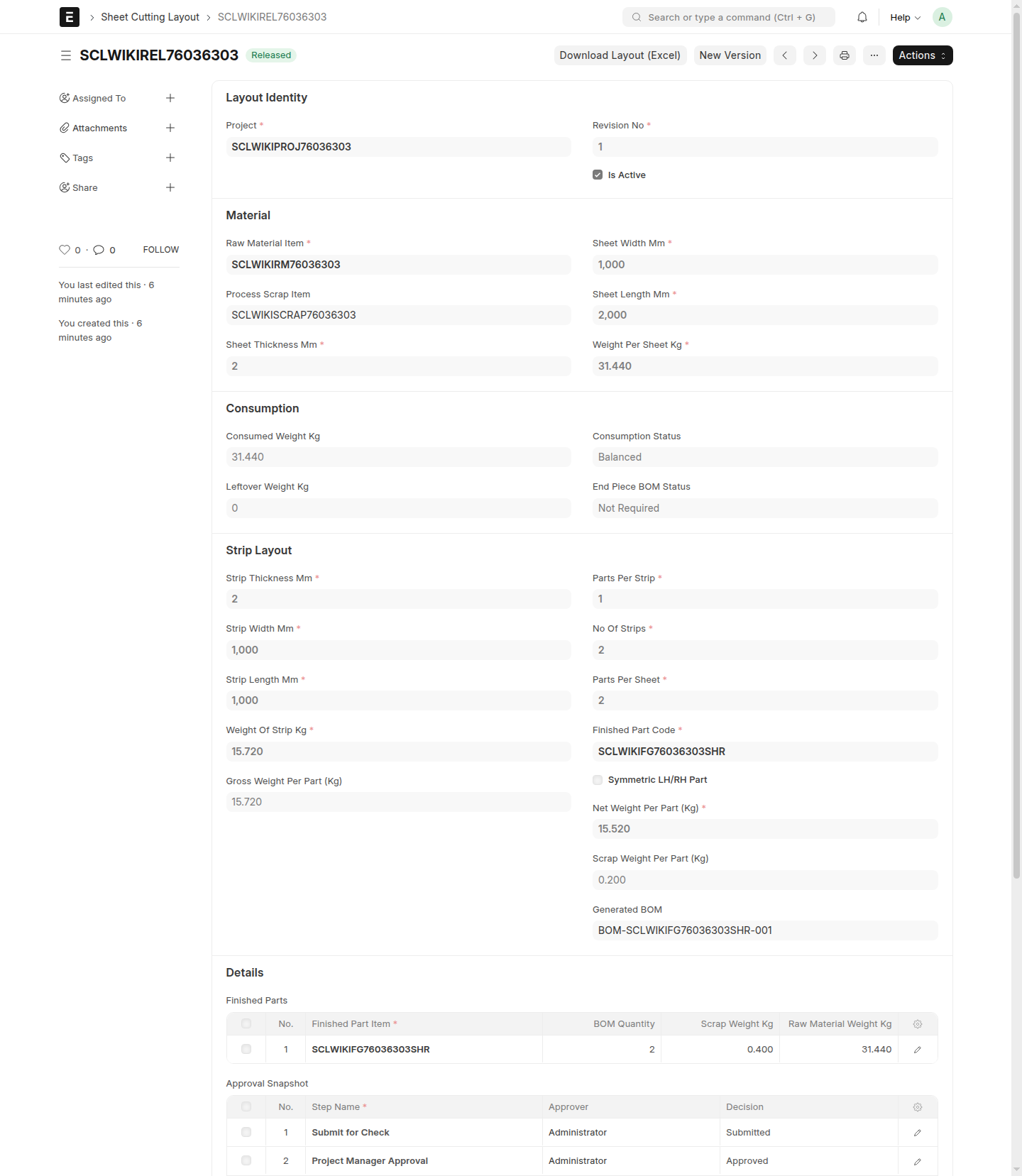
The screenshots on this page help users distinguish the version-replacement flow, including how to recognize an older Released layout, a replacement in Draft, and a retired layout in Superseded.
- An older layout in
Released - A replacement layout being prepared in
Draft - The
Supersedeaction - An older layout in
Superseded